The best check writing software programs you can use today are Online Check Writer, Checksoft Home & Business, Checkeeper, Check Writer III+, and Print Checks Pro. If your business still issues paper checks — and a huge share of small businesses do — these five tools eliminate manual errors, produce professional output, and keep a clean record of every payment. For a broader look at managing your finances beyond check tools, our personal finance section covers the habits and systems that make a real difference.
Paper checks are not going away. Billions are still processed in the U.S. every year, especially in business-to-business contexts where vendors, contractors, and landlords prefer a physical record that doesn't come with credit card processing fees. The problem has never been the check itself — it's the manual process of writing one by hand, formatting the MICR line correctly, and hoping the bank doesn't reject it over a smudged amount or misaligned field.
Check writing software removes all of that friction. You set up your bank details and check template once, store your payee list, and print a bank-ready check in under a minute. Some platforms add cloud access, mailing services, and accounting integrations. Here's the full breakdown so you can pick the right tool without testing each one yourself.
Contents
Digital payments dominate consumer transactions, but checks hold steady in commercial contexts. According to the Federal Reserve's payment research, commercial checks still account for a significant share of non-cash business transactions in the U.S. That's not nostalgia — it's practicality. Checks carry no per-transaction processing fees, create a built-in paper trail, and are accepted by vendors who don't want to deal with ACH setup or card processors.
Small businesses, property managers, nonprofits, and independent contractors rely on checks regularly for situations like:
Even professionals in high-finance sectors rely on checks. Top investment bankers and financial firms process checks as part of formal settlement agreements and trust transactions where a physical paper trail is legally required, not optional.
Handwriting a check introduces errors at every step. Wrong amounts, illegible payee names, misaligned MICR lines, missing memo fields — banks can and do reject checks for all of these reasons, creating delays, disputes, and awkward conversations with whoever you were paying.
Check writing software standardizes the entire process. You input payment details digitally, the software formats everything correctly including the MICR encoding line your bank uses for processing, and your printer outputs a check that looks like it came from a financial institution. You also get a digital log of every check printed, which makes month-end reconciliation a five-minute job instead of a headache.

Before breaking down each tool, here's a quick comparison to help you orient yourself:
| Software | Best For | Deployment | Pricing Model | Multi-User | Mailing Service |
|---|---|---|---|---|---|
| Online Check Writer | Small businesses needing cloud access | Web-based | Free tier + paid plans | Yes | Yes |
| Checksoft Home & Business | Desktop users, home or small office | Desktop (Windows) | One-time purchase | No | No |
| Checkeeper | Businesses that want outsourced mailing | Web-based | Subscription | Yes | Yes |
| Check Writer III+ | Budget-conscious individual users | Desktop (Windows) | Low one-time fee | No | No |
| Print Checks Pro | High-volume batch check printing | Desktop (Windows) | One-time purchase | Limited | No |
Online Check Writer is the most versatile option on this list. It's cloud-based, so you can access it from any device without installing software — useful if you work from multiple locations or need your bookkeeper and office manager to access the same account. The platform supports multiple bank accounts, multiple users, and integrates with QuickBooks, Xero, and several other accounting tools.
Key features:
The free tier is functional but limited on monthly check volume and bank accounts. Paid plans are competitively priced for small businesses. When setting up your account, you'll need your bank's routing number — if you bank with Wells Fargo, our Wells Fargo routing number guide tells you exactly where to find it.
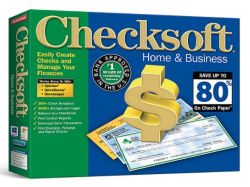
Checksoft is a Windows desktop application for users who prefer keeping their financial data local rather than in the cloud. It ships with over 500 check templates covering everything from basic personal checks to formal business payroll checks, and it's compatible with Quicken and QuickBooks data.
If you write checks infrequently, don't need cloud access, and want to avoid ongoing costs, Checksoft is a reliable, no-frills choice. It's not designed to impress — it's designed to work, consistently, without requiring a monthly commitment.
Checkeeper's standout feature is its mailing service. You design the check online, and Checkeeper prints it and mails it directly to the recipient — no check stock, no printer maintenance, no trips to the post office. This makes it the right choice for businesses that pay remote vendors or want to eliminate the physical printing step entirely.
Checkeeper runs on a subscription model, so it makes the most sense when you're sending checks regularly. If you process five or more checks per month, the time savings alone justify the cost. If your volume is sporadic, a desktop tool with a one-time fee is more economical.
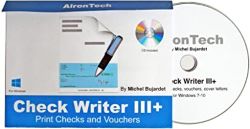
Check Writer III+ is the budget pick. It's a no-frills desktop application focused on one thing: printing checks that your bank will accept without issues. There's no cloud access, no integrations, no mailing service — just clean, MICR-compliant check output at a low one-time price.
If you're a freelancer or sole proprietor writing fewer than 10 checks a month, Check Writer III+ does the job cleanly. Don't expect integrations, collaboration features, or a polished interface. This is the utilitarian choice — and sometimes that's exactly what you need.
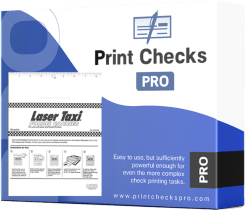
Print Checks Pro is built for higher-volume operations. It manages multiple checking accounts simultaneously, supports a wide range of check formats including voucher and payroll checks, and includes a signature imprinting feature that saves meaningful time when you're printing checks in batches. It's a one-time purchase desktop application with QuickBooks import support.
If you're running a small business that regularly processes vendor payments in batches of 20 or more, Print Checks Pro earns its keep. The signature feature alone — eliminating hand-signing on every check in a batch run — is worth the purchase price for the right operation.
Not every situation calls for a cloud platform with integrations and a mailing service. If you're an individual handling personal payments, a freelancer with a handful of monthly invoices, or a small operation where one person handles all the bookkeeping, a desktop tool like Check Writer III+ or Checksoft delivers what you need at minimal cost.
A basic desktop tool is the right call when:
Upgrade to a cloud-based or full-featured platform when your check volume grows, when multiple team members need access, or when you want your check records integrated with accounting software automatically. Online Check Writer and Checkeeper handle these scenarios well.
The most financially disciplined business owners treat every financial process as a system — not a one-off task. Once you're processing enough transactions that manual reconciliation takes real time each month, you've outgrown the basic tools. The subscription cost of a full platform is almost always justified by what it saves in administrative hours.
The setup phase is where most people cut corners and pay for it later. Do it right the first time:
Entrepreneurs who build strong systems early — a mindset detailed in profiles like our look at Tai Lopez's approach to business operations — know that small upfront investments in setup pay dividends every time you repeat the process.
Check fraud is a genuine threat. Positive Pay is the single most effective protection available — it's a bank service that matches every check you issue against a file you submit, automatically blocking anything that doesn't match. Most banks offer it for business checking accounts, often for free.
Beyond Positive Pay, build these habits from the start:
Every platform on this list does something better than the others. Match the tool to your actual use case:
None of these tools are perfect. Here's what each one lacks:
Even highly successful entrepreneurs — people like Oprah Winfrey, who built a media empire on systematized operations — pick tools that match their current scale rather than overcomplicating things prematurely. Choose what fits your volume today and upgrade when the friction signals that it's time.
Check writing software shouldn't sit in isolation from the rest of your financial tools. The goal is a single source of truth for every payment you make, whether it's a check, ACH transfer, or wire. Platforms that connect to QuickBooks, Xero, or FreshBooks give you that automatically — your check register feeds your expense categories without manual data entry.
If you're using a desktop tool without accounting integrations, the reliable workaround is a strict manual process: log every check in your accounting software immediately after printing it, never at the end of the month. Waiting creates reconciliation gaps, makes it easy to miss duplicates, and turns a 10-minute monthly close into a two-hour investigation.
This level of financial discipline — consistent records, clean systems, no backlogs — is what separates businesses that scale well from those that hit a wall. It's the same principle behind every profile of sustained financial success, from individual investors covered in our list of the richest investment bankers to small business owners building from scratch.
The best check writing software for your business today may not be the right fit in two years. That's fine — most platforms export your check register in standard formats like CSV or PDF, so you're not locked in. When the time comes to switch, your records travel with you.
Plan for portability from day one:
The right check management system isn't the most sophisticated one available. It's the one your team uses consistently, keeps your records clean without constant manual intervention, and scales without requiring a full rebuild every time your business grows. Start there, and upgrade only when the tool itself becomes the bottleneck.
The best check writing software isn't the one with the longest feature list — it's the one you set up properly once and use without thinking twice every time you need it.


About Sunny Nguyen
Sunny Nguyen founded and runs DomainPromo, writing about domain investing, namespace trends, aftermarket resale channels, and the mechanics of pricing, parking, and flipping domains. His coverage draws on a decade of hands-on acquisition work, auction bidding at NameJet and GoDaddy Auctions, and tracking the ngTLD expansion since its early rollout. Sunny writes for small-time domainers and portfolio investors alike, focusing on defensible liquidation strategies, brandability signals, and the long tail of non-dot-com namespaces. He also covers registrar platform mechanics, DNS configuration, escrow services, and the technical plumbing beneath domain flipping — the practical knowledge buyers and sellers need but rarely find in one place.
Get FREE Gifts by that link. Or receive Freebies now. you can whitelist the Ad Block to see it all.
Once done, hit any button below
 omain
omain